Campaign Reschedule
1. Introduction
The Campaign Reschedule feature allows reprocessing of leads that were not successfully completed during the initial campaign execution.
Rescheduling can be done using two methods:
- Reschedule by Lead Status
- Reschedule by Disposition Note
Both methods can also be used together to refine lead selection.
2. Access Reschedule Option
Navigation:
Campaign → Select Campaign → Reschedule
Behavior:
- A popup UI is displayed
- All reschedule configurations are done within this popup
3. Reschedule by Lead Status
Description
Leads can be filtered and rescheduled based on their current status.

Step-by-Step
- Click Reschedule
- System displays list of lead statuses with counts
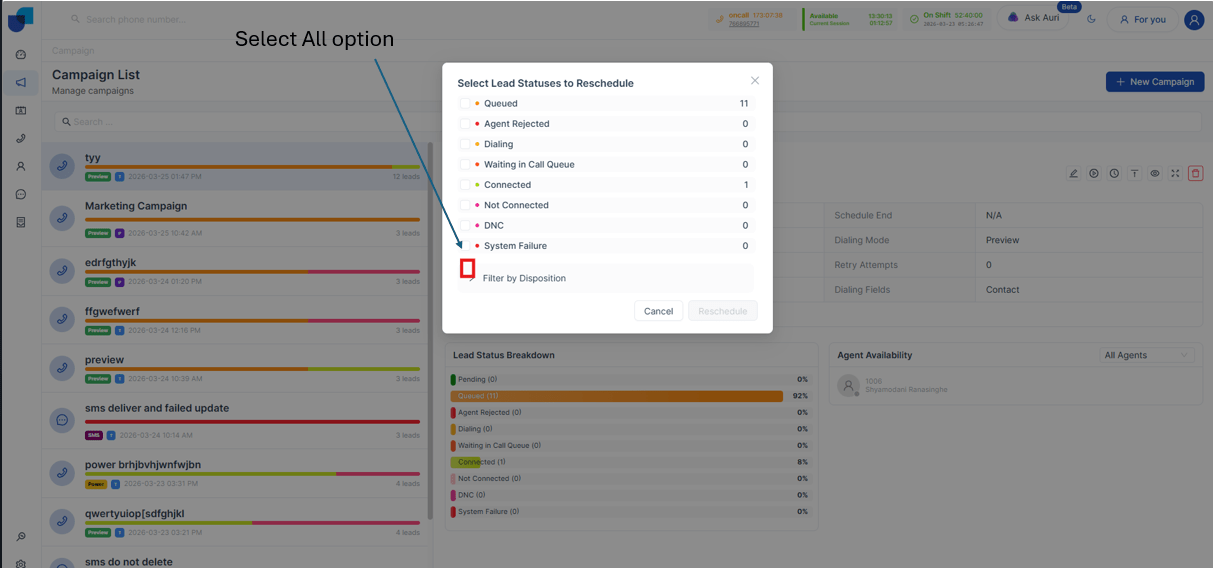
Example Display
- Pending – 50 leads
- Not Connected – 120 leads
- Rescheduled – 30 leads
- DNC – 10 leads
Actions
- Select required statuses using checkboxes
- System shows how many leads will be rescheduled
Additional Option
- Reschedule All Leads
- Select this option to include all leads regardless of status
Result
- Only selected leads will be included in rescheduling
4. Reschedule by Disposition Note
Description
Leads can be rescheduled based on disposition outcomes recorded after calls.
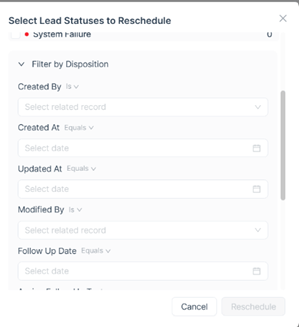
Step-by-Step
- In the same popup, select Disposition-based Reschedule
- Choose disposition values from the list
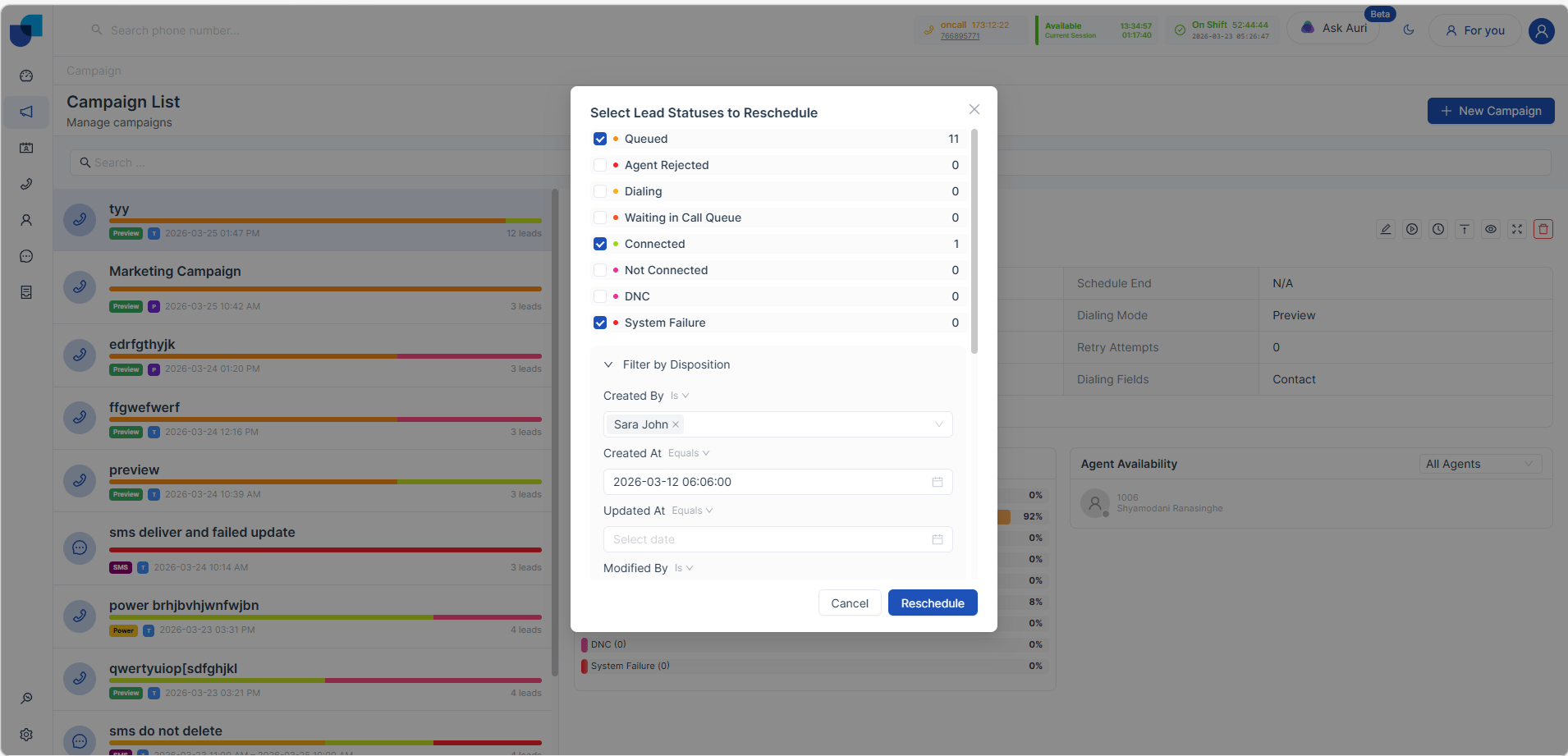
Example Dispositions
- Call Back Later
- Not Interested
- No Answer
- Follow-Up Required
Behavior
- System filters leads based on selected disposition values
- Only matching leads are selected for rescheduling
5. Combined Reschedule (Status + Disposition)
Description
Both Lead Status and Disposition filters can be applied together.
Behavior
- System selects leads that match:
- Selected statuses AND/OR
- Selected disposition values
Example
- Status: Not Connected
- Disposition: Call Back Later
System will reschedule only leads matching these conditions
6. Reschedule Action
Button: Reschedule
- Available within the same popup UI
- Enabled after selecting filters
Action
- Click Reschedule
- System creates a new schedule for selected leads
7. Post-Reschedule Behavior
- Selected leads are queued again
- Campaign execution continues based on:
- Dialer mode (Preview / Power)
- Schedule configuration
- Retry settings
8. Key Points to Remember
- Lead count is shown before rescheduling
- Multiple filters can be applied
- Reschedule All option is available
- Disposition-based rescheduling improves targeting
- No duplicate leads are created