External Modules
Configuration › CRM
Every module picks a Source Type when it's created, and that choice can't change afterward. External is the other option: the module becomes a display layer only, its records actually live in another connected system, and get pulled in through an API integration configured under Configuration → Integrations → API Integrations.
Setting It Up
- Pick External as the Source Type. On the new module form, choosing External immediately replaces the plain Save flow with its own configuration block.
- Select Collection. Which API Integration collection this module reads and writes through, e.g. a connected Salesforce API.
- Map the endpoints. Once a Collection is picked, its available endpoints can be mapped to each of the five actions below.
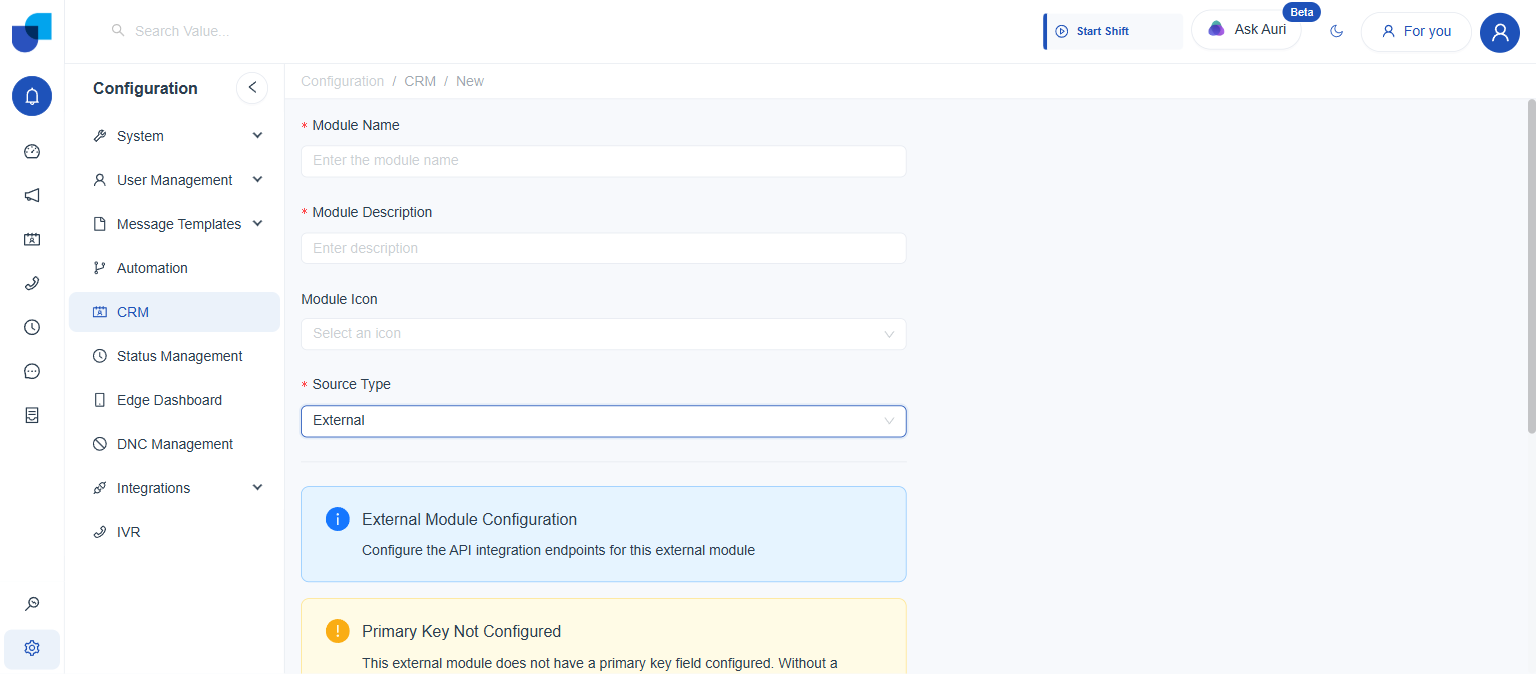 Choosing External replaces the plain Save flow with its own configuration block, and immediately warns that a primary key still needs to be set.
| Field | What it maps |
|---|---|
Select Collection | Which API Integration collection this module reads and writes through. |
Get All API | Required. The base/default endpoint used to list records. |
Get API | Required. The endpoint used to fetch a single record. |
Post API | Optional. The endpoint used to create a record. |
Update API | Optional. The endpoint used to edit a record (PUT/PATCH). |
Delete API | Optional. The endpoint used to delete a record. |
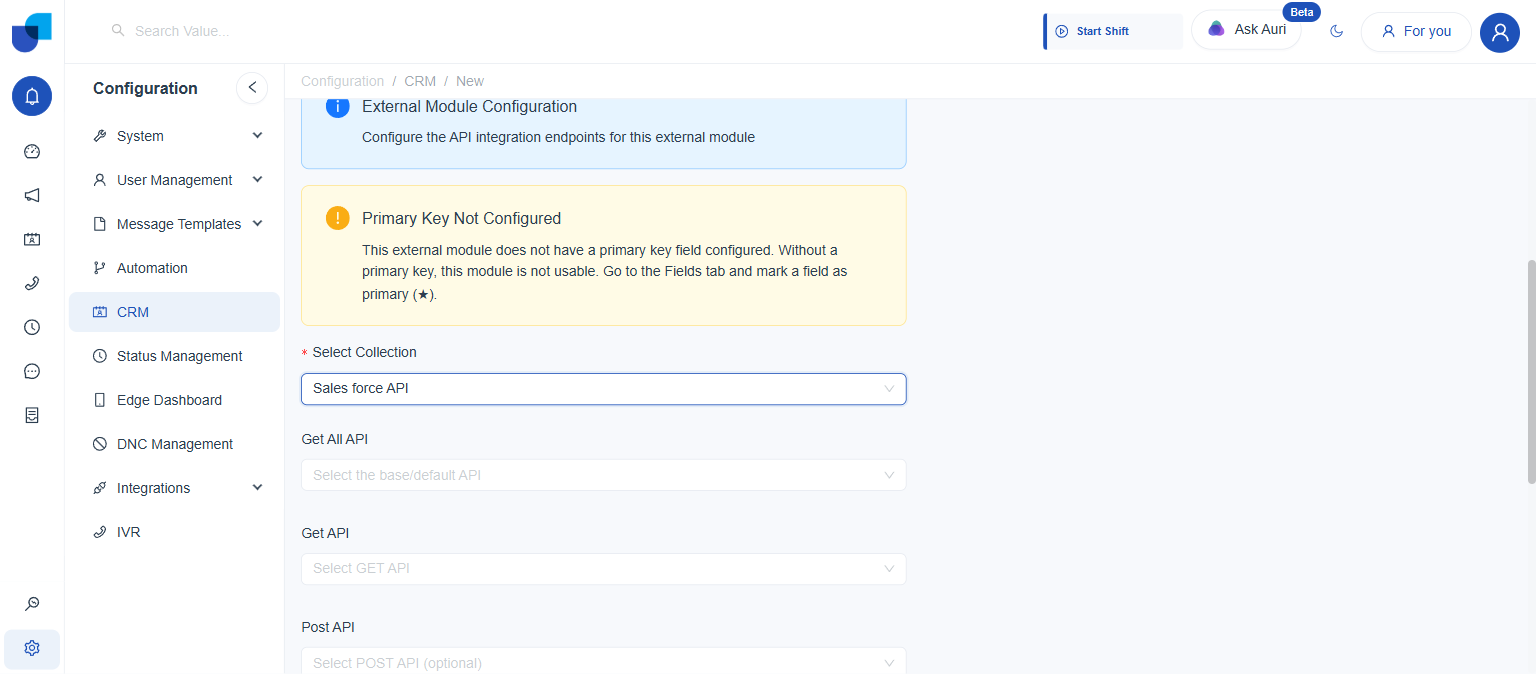 Once a Collection is picked, its available endpoints can be mapped to each of the five actions.
The Collection needs to already exist under API Integrations before it shows up here. Setting up the collection itself, its base URL, and its individual endpoints happens there, separately from module creation. Post, Update, and Delete are optional because a connected system might be read only; leaving them unmapped simply removes the matching action from the module.
The Primary Key Requirement
An External module isn't usable until a field on it gets marked as the primary key (★), on the Fields tab. Without one, the module has no way to uniquely match its own records against the external system's, and the warning shown above stays on screen.
- Where it's set: the Fields tab, on whichever field holds the record's unique identifier in the connected system, e.g. an external record Id.
- Why it matters: every read, create, update, and delete this module performs is matched back to the connected system using that one field.
Source Type is locked in the moment the module is saved. Switching an External module to Internal later, or the other way around, is not possible; the module has to be recreated instead.